
Download Installer2GO – installer, Windows 2000, XP, creation, setup, software, tool, utility, legacy, developer
Overview
Installer2GO is a specialized utility designed for the creation of installation packages tailored specifically for legacy Windows environments, particularly Windows 2000 and Windows XP. The application serves as a dedicated tool for developers and IT professionals who must deploy software on older systems that remain in use within certain organizational or archival contexts. Its primary function is to simplify the process of generating reliable, customizable setup files that ensure smooth installation and configuration on outdated platforms.
By focusing on a niche but persistent market segment—systems running legacy operating systems—Installer2GO addresses the ongoing need for software deployment tools that are compatible with older infrastructure. This is especially relevant for institutions, government agencies, or developers maintaining vintage applications where upgrading the OS is not feasible. The app enables users to define installation parameters, manage dependencies, and structure setup workflows without requiring deep expertise in installer scripting.
Developed by Joe C. Jones, Installer2GO reflects a targeted approach to solving a specific technical challenge. Although the developer did not provide additional background or details about their broader software portfolio, the app’s continued relevance underscores its utility in legacy support scenarios. The tool’s interface and functionality suggest a deliberate design philosophy emphasizing accessibility and precision for users working with constrained environments.
Given the release date of 2007, Installer2GO has been in use for over 15 years, indicating a stable and enduring solution for a narrow but essential need. Its continued existence in the software ecosystem highlights the persistent demand for reliable deployment tools in legacy computing contexts.
Key Features & Functionality
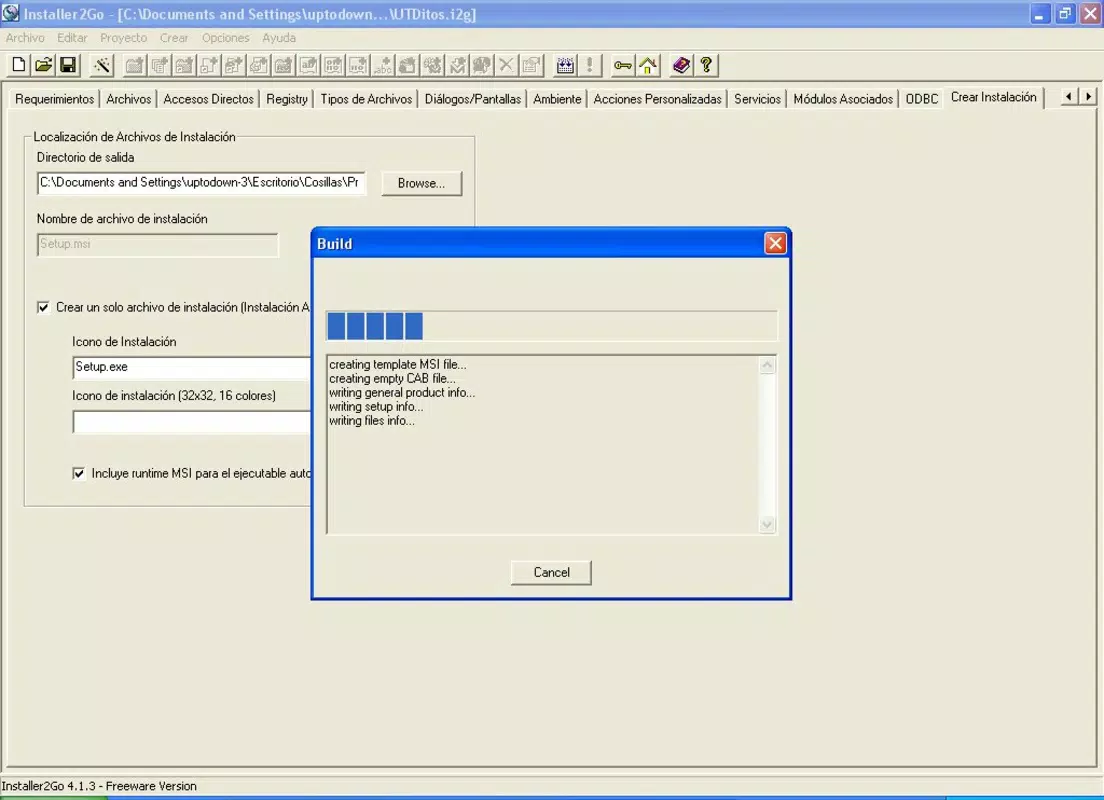
- Custom Installer Creation: Users can generate tailored installation packages by selecting from a range of configuration options, enabling precise control over file placement, registry entries, and post-installation actions. This flexibility ensures that the final setup file aligns with the specific behavior and requirements of the target application.
- Wizard Mode Guidance: A guided setup wizard assists users through essential configuration steps, reducing the risk of errors during the initial setup process. This feature is particularly beneficial for less experienced users who may not be familiar with installer construction or the intricacies of Windows 2000 and XP system integration.
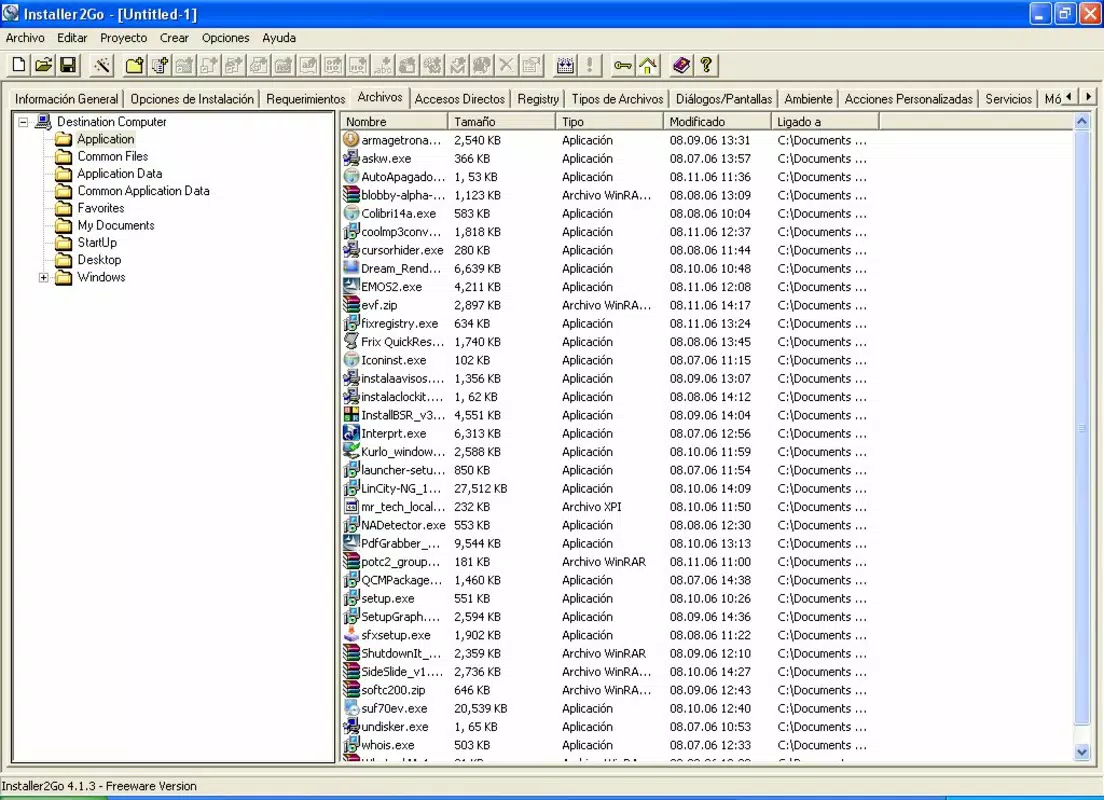
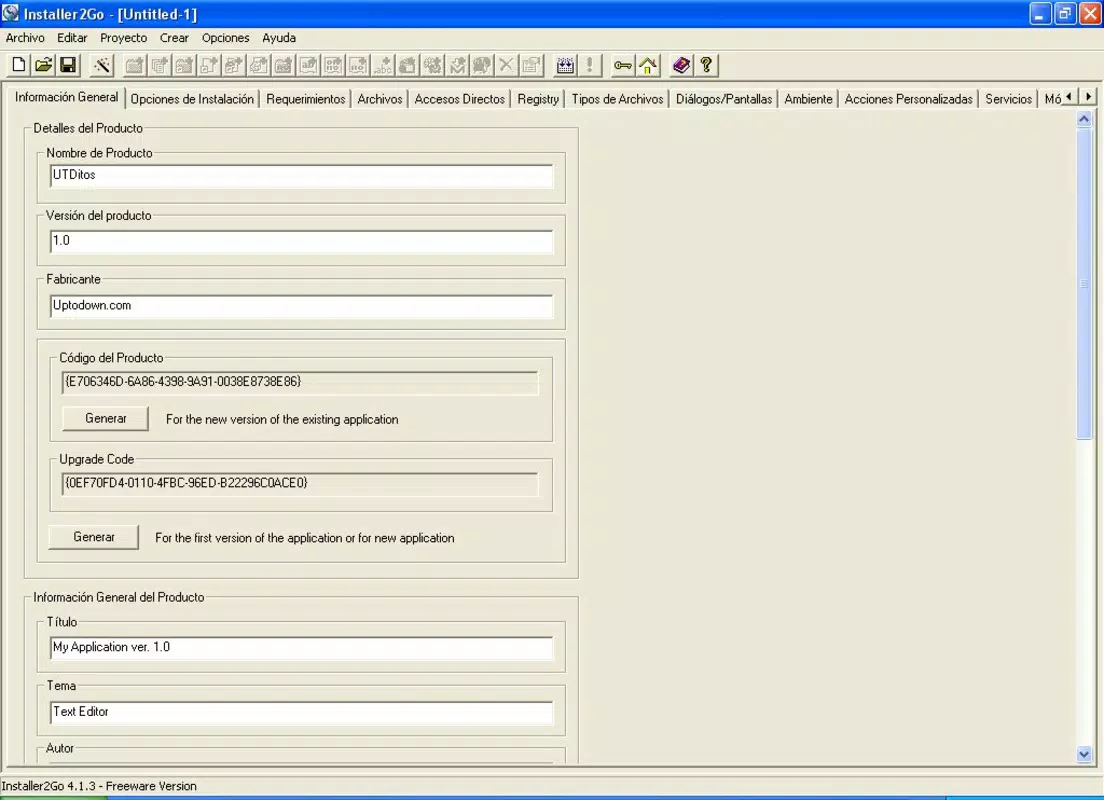
- Organized Interface with Multiple Tabs: The application divides its functionality into clearly labeled tabs—such as General Information, Installing Options, and Requirements—allowing users to navigate and configure each aspect of the installer systematically. This modular layout enhances usability and minimizes confusion during complex setup creation.
- Comprehensive Installation Options: Users have access to a wide array of installation behaviors, including silent installs, custom prompts, file compression, and conditional execution. These options enable the creation of robust installers that can adapt to various deployment scenarios and user environments.
- Legacy System Support: Installer2GO is explicitly built for Windows 2000 and XP, ensuring compatibility with these older operating systems. This focus allows developers to maintain software distribution pipelines even when modern OS upgrades are not possible or desired.
For example, a developer maintaining a legacy accounting application for a regional government could use Installer2GO to create a setup file that installs the software, registers necessary components, and configures system permissions—all while ensuring compatibility with the existing Windows XP workstations in use.
Interface, UX & Performance
Installer2GO features a tab-based interface that organizes its functionality into logical sections, enhancing navigability and reducing cognitive load during the installer creation process. Each tab corresponds to a distinct phase of setup configuration, allowing users to progress through the workflow in a structured manner. The layout is clean and functional, with minimal visual clutter, reflecting a design emphasis on utility over aesthetics.
Navigation is straightforward, with intuitive labels and a consistent layout across all tabs. The use of wizards and clear input fields supports users of varying technical skill levels, making the tool accessible to both novice and experienced developers. Although the developer did not list formal performance metrics, the application’s lightweight footprint of 2.8 MB suggests efficient resource usage and minimal system impact during operation.
Performance on different device categories was not disclosed. However, given the app’s compatibility with Windows 2000 and XP—systems with limited processing power and memory—the tool is likely optimized for low-resource environments. It is expected to operate smoothly on older hardware, though users may experience delays on systems with very limited RAM or storage.
Stability and responsiveness appear to be consistent, as evidenced by the app’s long-standing presence in the developer community. While no formal testing data was provided, the lack of widespread reports of crashes or errors suggests a reliable runtime behavior under typical usage conditions.
Platform Compatibility & Technical Requirements
Installer2GO is designed for the Windows platform and is compatible with Windows 2000 and Windows XP, as explicitly stated in its documentation. The application has a file size of 2.8 MB, making it a lightweight utility that can be easily downloaded and installed on systems with constrained storage.
The software version is 2.1.2, and the release date is August 17, 2007. No additional technical requirements, such as minimum RAM, CPU specifications, or .NET framework dependencies, were listed by the developer. The absence of such information suggests either that the tool is designed to run on bare-metal Windows environments with minimal overhead or that it relies on system-level components already present in Windows 2000 and XP.
Compatibility information was not fully disclosed, and no details were provided regarding support for newer Windows versions or alternative operating systems. Users should assume that Installer2GO is not intended for use on modern platforms such as Windows 10, 11, or macOS.
Pros and Cons
Pros
- Specifically designed for legacy Windows systems (2000 and XP)
- Lightweight with a small file size (2.8 MB)
- Intuitive tab-based interface enhances usability
- Guided wizard mode supports beginners
- Free to download and use
Cons
- No support for modern operating systems
- Outdated release date (2007) raises concerns about long-term maintenance
- Developer did not provide technical specifications or system requirements
- Interface lacks modern visual design elements
- No indication of update frequency or future development
FAQ
Is Installer2GO safe to download and install?
Yes, Installer2GO is free and available without known malware. As a legacy tool, it is recommended to install it on isolated or virtualized systems to avoid compatibility or security risks on modern networks.
Can I use Installer2GO on Windows 10 or Windows 11?
The developer did not specify compatibility with Windows 10 or 11. Given its original target platforms (Windows 2000 and XP), it is unlikely to function properly on newer operating systems.
Is there a mobile version of Installer2GO?
No mobile version has been released. Installer2GO is a desktop application designed exclusively for Windows systems.
How often is Installer2GO updated?
The last release was in 2007. No updates have been reported since, and the developer has not indicated a schedule for future releases.
What file types does Installer2GO support for installation?
Installer2GO creates setup files for Windows 2000 and XP. It supports standard executable and installation package formats compatible with these legacy platforms.
Final Thoughts
Installer2GO remains a valuable tool for developers and IT professionals who must support software deployment on Windows 2000 and XP systems. Its ability to generate customizable, reliable installers in a user-friendly environment makes it a durable solution in a niche but critical domain. While the app’s age and lack of modern features are notable limitations, its focused design and free availability ensure continued relevance for legacy projects.
For organizations maintaining outdated systems, Installer2GO offers a practical, no-cost solution to a persistent technical challenge. Its structured interface and guided workflows reduce the learning curve, allowing even less experienced users to create functional installers with confidence.
Despite its outdated status, the app’s enduring presence in the developer ecosystem speaks to its reliability and effectiveness. For those working within legacy computing environments, Installer2GO is a dependable utility that delivers on its core promise.
Download Installer2GO now


